From broken totals to clean insights: a Power BI data-modelling rescue

When I was given a dataset with no relationships and asked to deliver sales insights in Power BI, I thought “this will be quick.” I loaded the tables, created a table visual showing ProductName and Sum(OrderQuantity) and—surprise—the totals were wrong. After a few minutes of frustration I discovered the issue: there were no relationships between my lookup tables and the sales table. Once I created the proper relationship the totals fixed themselves.
This project is a reminder that good analysis isn’t glamorous. It’s mostly digging through dirty data and building proper models so the fancy visuals and metrics mean something.
The problem
-
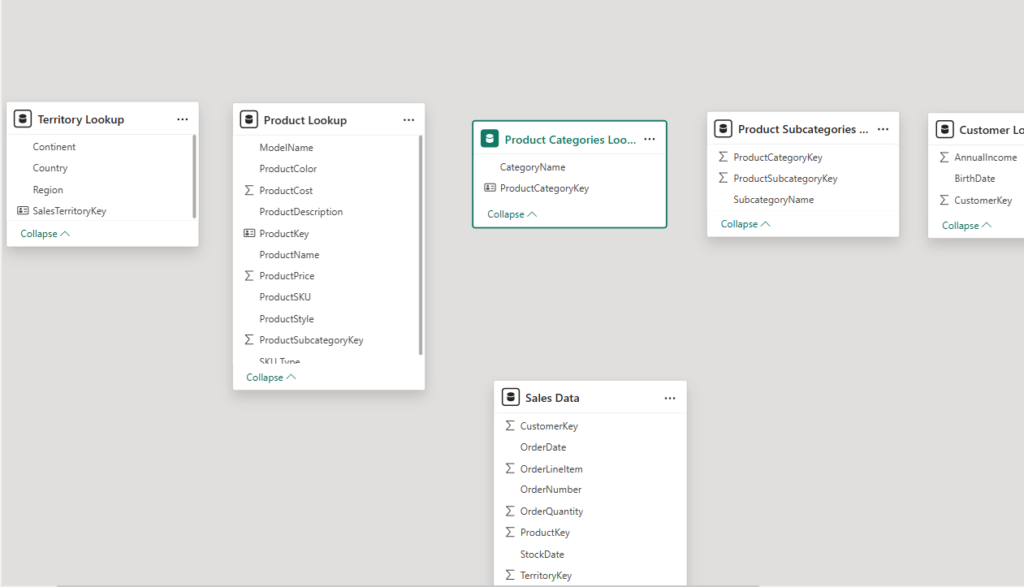
I received multiple tables (Products, ProductCategories, ProductSubcategories, TerritoryLookup, Sales Data) but no relationships were provided.
-
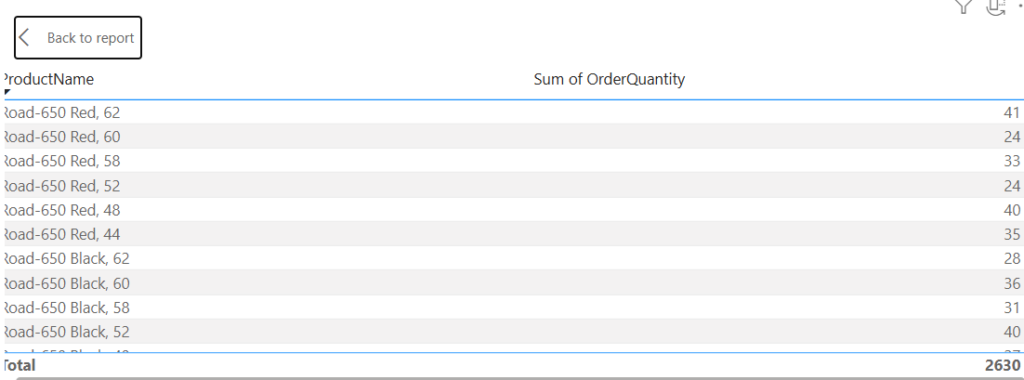
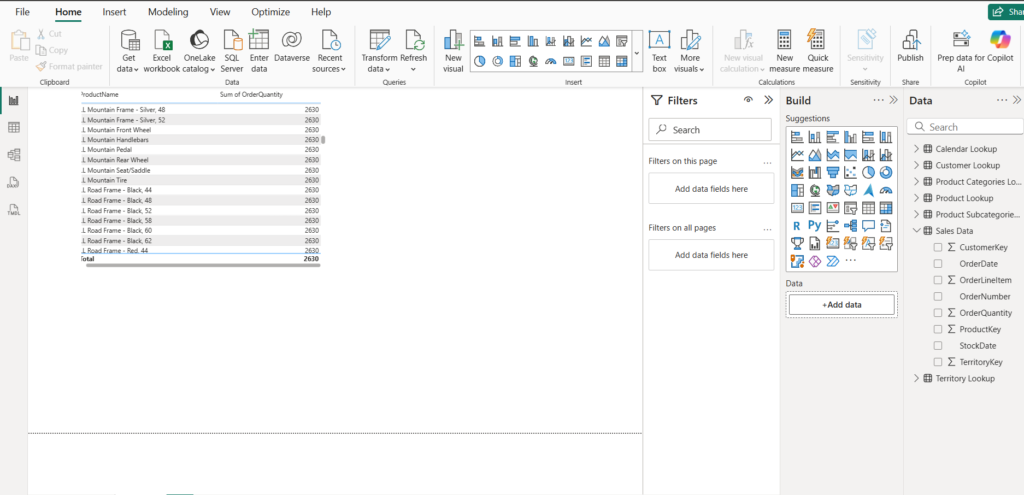
I quickly built a table visual to show product sales (ProductName vs Sum(OrderQuantity) ) and the totals did not make sense (duplicates, inflated counts).
-
The root cause: Sales table’s ProductKey was not linked to Product lookup table’s ProductKey. Power BI couldn’t accurately aggregate across disconnected tables.
Steps I took to fix it
-
Inspect the data — looked for keys, missing values, and duplicates.
-
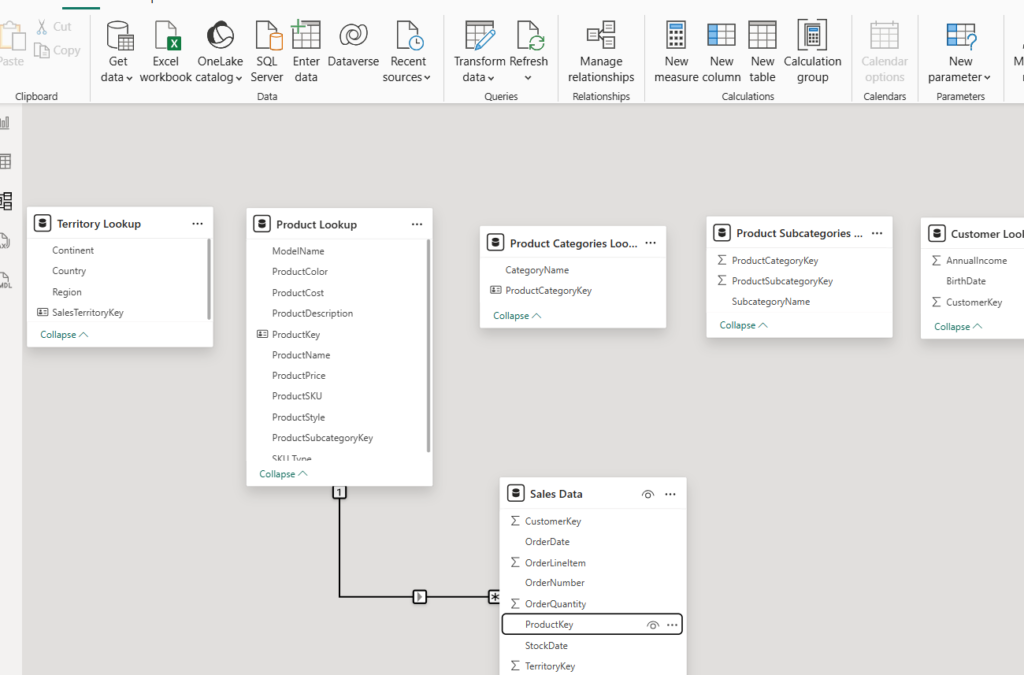
Create relationships — linked
SalesData[ProductKey]→ProductLookup[ProductKey]as a single direction (or bi-directional only when needed). -
Confirm cardinality — set relationship to
Many (Sales) : One (Products)and ensure it’s enforcing referential integrity where possible. -
Rebuild the visual — re-run the table visual and see correct totals.
-
Add validation checks — simple measures that count distinct keys and compare row counts to detect joins that inflate results.
Key lessons
-
Data analysis is 80% “boring” work: cleaning, matching keys, verifying cardinality, and validating relationships. The flashy dashboards are only as accurate as the model behind them.
-
Understand cardinality & filter-direction: wrong cardinality or incorrect bidirectional filters can give incorrect totals or unexpected filtering behavior.
-
Validation checks are your friend: add quick sanity checks (counts, distinct counts) to detect wrong joins early.
-
Document your model: diagrams, screenshots, and a README help others understand how the model is wired.