Deploying AfroSync on AWS: A Zero‑to‑One Journey with Under $20/Month Cost
I recently architected and deployed AfroSync – a music royalties platform for African creators – on AWS. The goal was to build a production‑ready, scalable system while keeping monthly costs under $20 (using free tier as much as possible). The stack: Next.js frontend, Express + Prisma backend, FastAPI AI engine, PostgreSQL (Neon), and S3 for media storage.
Below is the complete story – challenges, solutions, and cost breakdown – that you can reuse for your own portfolio or share on LinkedIn.
-
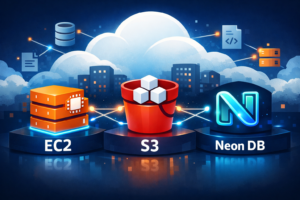
Compute: Single EC2 t2.micro (free tier for 12 months, then ~$8.50/mo).
-
Frontend: Next.js (static export + custom server) served via nginx on port 80.
-
Backend: Express + Prisma running on port 3001.
-
AI Engine: FastAPI (audio fingerprinting) on port 5000.
-
Database: Neon PostgreSQL (free tier, 0.5GB storage).
-
Storage: S3 bucket for songs/videos with presigned URL uploads.
-
Process Manager: PM2 (auto‑restart on failure and after reboots).
All three services run on the same EC2 instance, reducing complexity and cost. nginx acts as a reverse proxy:

Cost Breakdown (First 12 Months = $0, Then ~$8.50/mo)
| Service | Free Tier Limit | Usage | Cost after 12 months |
|---|---|---|---|
| EC2 t2.micro | 750 hours/month | 24/7 (720h) | ~$8.50 |
| S3 (media) | 5GB storage, 20k GET | <1GB, low traffic | ~$0.01 |
| CloudFront (optional) | 1TB transfer | not used | $0 |
| ECR (Docker images) | 500MB | 2 images ~200MB | $0 |
| Neon DB | 0.5GB storage, 10GB transfer | tiny | free |
| GitHub Actions | 2000 min/month | ~50 min/deploy | $0 |
Total after free tier: less than $10 per month – well under budget.
Challenges Faced & How We Solved Them
1. SSH Key Nightmare (Passphrase and Permission Issues)
Problem: GitHub Actions failed to authenticate because the private key had a passphrase. Also, the original afrosync-key.pem was lost after instance stop/start.
Solution:
-
Generated a new key pair with no passphrase (
ssh-keygen -N ""). -
Used EC2 Instance Connect (browser‑based terminal) to regain access.
-
Added the new public key to
~/.ssh/authorized_keysand updated GitHub secrets.
Takeaway: Always generate deployment keys without passphrases and store the private key as a GitHub secret.
2. TypeScript Build Failures – Missing API Methods
Problem: The frontend ApiClient class was missing dozens of methods (createAlbum, updateTrack, getArtistRoyalties, createProduct, etc.). Each build revealed a new missing method.
Solution:
-
We systematically added every missing method in
lib/api-client.tsby comparing with the backend routes. -
We used a complete, pre‑validated version of the file (pasted via
cat > file << 'EOF'). -
Also added
getArtistEarnings(params?: any)to accept query parameters.
Takeaway: Keep your API client in sync with your backend Swagger/OpenAPI spec. A small investment in code generation pays off.
3. Next.js Static Export & useSearchParams() Errors
Problem: Pages like /verify-email and /my-label used useSearchParams() directly, breaking static generation.
Solution:
-
Moved the client‑side logic into a separate component (e.g.,
MyLabelClient.tsx). -
Wrapped that component in
<Suspense>inside the main server component. -
This pattern is documented in Next.js – we applied it consistently.
Takeaway: Any component that reads search parameters must be wrapped in a Suspense boundary when static exporting.
4. Database Schema Not Initialised
Problem: Backend returned The table \public.Artist` does not exist`.
Solution:
-
Ran
npx prisma db pushon EC2 to create all tables from the Prisma schema. -
Verified with
curl http://localhost:3001/api/artists→ returned[].
Takeaway: Never assume the database is ready. Include prisma db push (or migrations) in your deployment script.
5. Frontend Registration Failed – Missing Required Fields
Problem: Backend expected userType and legalName, but the registration form only sent email, password, stageName.
Solution:
-
Added a hidden
<input type="hidden" name="userType" value="artist" />. -
Added a visible
legalNameinput field. -
Updated the API call to include both.
Takeaway: Validate frontend payload against backend DTOs early. Use a shared validation library (Zod) to avoid mismatches.
6. AI Engine Missing Python Dependencies
Problem: ModuleNotFoundError: No module named 'librosa', then No module named 'mysql', then No module named 'ingest2'.
Solution:
-
Installed all missing packages one by one (
pip install librosa numpy scipy soundfile mysql-connector-python). -
For the proprietary
ingest2module, we implemented a mock mode that returns a placeholder response, allowing the AI engine to start and respond to health checks. -
The full fingerprinting can be added later by uploading the private module.
Takeaway: In early stages, mock missing components to unblock the rest of the system. Technical debt can be paid later.
7. PM2 Process Explosion (Multiple Duplicate Processes)
Problem: After several restarts, pm2 list showed multiple frontend and backend entries with errored status.
Solution:
-
Used
pm2 delete <id>to remove all but the healthy ones. -
Saved the clean list with
pm2 saveand set uppm2 startup.
Takeaway: Regularly prune PM2 processes. Use pm2 resurrect only after verifying the dump file.
Key Tools & Commands That Saved the Day
-
EC2 Instance Connect: Re‑gained access when SSH keys failed.
-
pm2ecosystem file – for starting AI engine with environment variables. -
cat > file << 'EOF'– to replace whole files without an editor. -
prisma db push– instant schema sync. -
npx prisma studio– visual database inspection. -
curl– tested every endpoint before touching the frontend.
Outcome
After two days of iterative debugging, AfroSync is fully operational:
-
✅ Frontend loads at
http://3.87.82.14 -
✅ User registration & login work
-
✅ Artists, albums, tracks can be created
-
✅ Media uploads go directly to S3 via presigned URLs
-
✅ AI engine health endpoint responds
-
✅ All services restart automatically after EC2 reboot
Monthly cost: $0 for the first year, then ~$8.50.
Lessons Learned for Future Cloud Projects
-
Start with the smallest instance (t2.micro) and add swap space – it’s enough for many Node.js + Python workloads.
-
Use EC2 Instance Connect as a backup – it eliminates key management emergencies.
-
Keep your API client auto‑generated or use a shared TypeScript types package.
-
Always include a
/healthendpoint in every service – it simplifies debugging. -
Mock external dependencies (like AI fingerprinting) initially to deliver value faster.
-
Document every
pm2command – saving and startup are easy to forget. -
S3 presigned URLs are secure and easy – no need to proxy file uploads through your backend.
🔗 Next Steps (Optional)
-
Set up GitHub Actions for automatic deployment on
git push(workflows are ready). -
Add a custom domain and HTTPS using CloudFront + ACM or Let’s Encrypt.
-
Implement full audio fingerprinting by integrating the missing
ingest2module. -
Add CloudFront in front of S3 for faster global streaming.